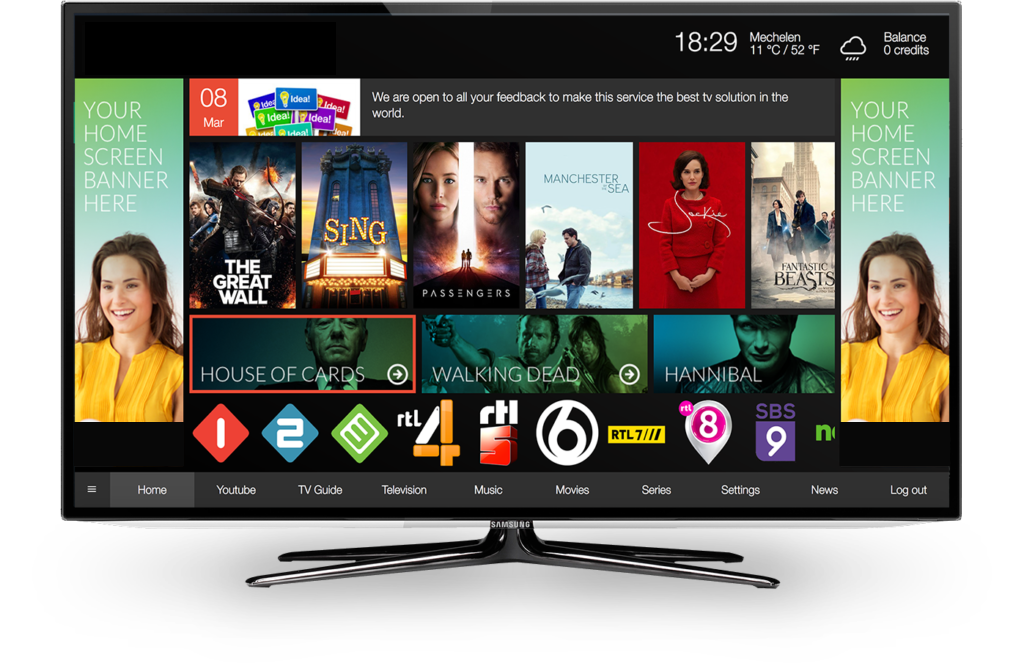
Advanced Media Player for your
Smart TVs
Blink IPTV offering a modern interface, fast zapping speed, and full customization.
Add your playlist NOWBlink IPTV – Advanced Media Player for Smart TVs
Blink IPTV is the leading IPTV media player built for Smart TVs, offering a modern interface, fast zapping speed, and full customization. Designed to enhance your TV streaming experience, Blink IPTV allows users to watch playlist content, VOD (Video on Demand), and Series directly on their Smart TV using M3U playlists or Xtream Codes API integration.
Blink IPTV provides extensive compatibility for home entertainment by supporting Samsung Smart TVs (Tizen & Orsay), LG Smart TVs (webOS & Netcast), and platforms such as Vestel, Philips, Panasonic, Foxxum, VIDAA, and NetRange, among others. Users and advanced users can easily manage playlists and licenses across multiple devices thanks to the app's support for multi-device management.
Enjoy free radio streaming, live sports scores (football, basketball, and more), and trending short videos – all in one IPTV player. Blink IPTV also features advanced parental control, theme customization, and multi-language support to meet the needs of every user.
Whether you're an advanced users or an individual user looking for the best IPTV player for Smart TVs, Blink IPTV is your all-in-one solution for high-quality playback, flexibility, and performance.
All-in-One IPTV Player Features

Smart & Fast Search
Quickly find Live TV, video content, and Series within your IPTV playlist with Blink IPTV’s intelligent search engine.

Multi-Language Support
Enjoy Blink IPTV in English, French, Spanish, Arabic, Russian, and more – perfect for global IPTV users.

Multi-Device Management
Add or remove devices instantly. Ideal for advanced users and users with multiple smart TVs or platforms.

Parental Control
Secure your content with a customizable parental PIN. Keep kids safe with family-friendly viewing.

Audio & Subtitles
Select from multiple audio tracks and built-in subtitles for an immersive international viewing experience.

Continue Watching
Automatically saves your progress and resumes playback from the last point across all your devices.
Activation
Enjoy all Blink IPTV features completely free for the first 15 days!
Get Started
Start with Blink IPTV in a few simple steps. Follow our guide to set up your Media player experience.

Get your device information
Open the Blink IPTV app settings to find your Device ID, Device Key, and App Version. These details are essential for managing your device.

Add your playlist
Open Blink IPTV and add your playlist using the "Add a playlist" button in the app.

Start watching
Browse your channels and start enjoying your favorite content instantly.
© Copyright 2026 Blink IPTV. All Rights Reserved